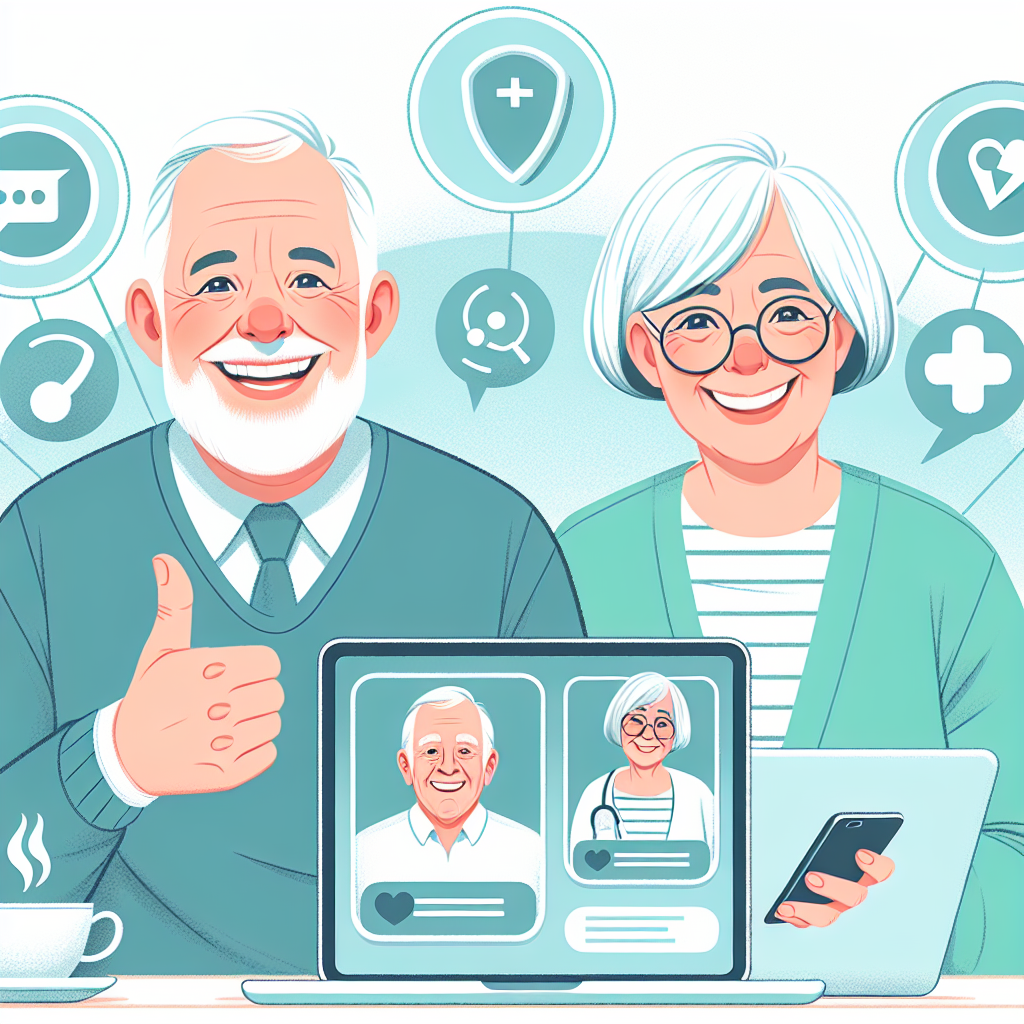
Introduction: The Emergence of Empathy in Virtual Care

Telemedicine has significantly transformed the relationship between patients and healthcare providers. Through secure video calls and digital messaging, people can now access medical care from the comfort of home. While this digital healthcare revolution offers unmatched convenience, it sometimes lacks the personal, compassionate touch that defines traditional, in-office visits.

According to Dr. Ayesha Malik, a telehealth quality advisor at Mercy Virtual, “Some patients describe digital appointments as feeling cold or rushed. That’s why many providers are learning how to project empathy across a screen.”

To bridge this gap, medical professionals are actively developing their virtual bedside manner to ensure that even remote healthcare experiences feel personal, caring, and supportive.

The Rise of Virtual Consultations: Technology Meets Urgency

The demand for remote doctor consultations has surged, particularly following the COVID-19 pandemic. A 2021 study by McKinsey & Company found that telehealth usage had stabilized at levels 38 times higher than prior to the pandemic.

In 2020 alone, over 1.5 billion digital healthcare visits took place in the United States, a major leap from just 50 million in 2019 (CDC, 2022). Patients favored telehealth for several reasons:

– Eliminated travel and waiting room time
– Easier access to specialists across regions
– Flexible scheduling, including evening and weekend appointments

However, despite these conveniences, the emotional aspect of care proved harder to replicate.

“Technology can’t replace the feeling of a doctor’s reassuring presence,” says Dr. Malik. “But when used intentionally, it can complement and support that connection.”

The Challenge of Maintaining Empathy Online

In-person visits naturally foster empathy through gestures, eye contact, and tone of voice. But during virtual sessions, poor lighting, internet delays, or background interruptions can create a disconnect.

Picture a scenario where a child receives a difficult diagnosis and the screen suddenly freezes—or a caregiver struggles with a muted microphone while trying to ask vital questions. Moments like these highlight why empathy during telehealth consultations is not just beneficial—it is essential to maintaining care quality and building trust.

Strategies for Humanizing Digital Encounters

Fortunately, there are effective ways for practitioners to make virtual consultations feel more compassionate and genuine:

Warm and Personalized Greetings

Start each session with a friendly introduction. A simple “Hello, Ms. Lopez, how has your week been?” helps create immediate rapport. If technical difficulties arise, responding with patience—such as “Thanks for waiting while I fix the connection”—helps reduce frustration.

Active Listening and Patient Validation

Use affirmations like “That sounds difficult” or “I understand” to show that you’re attentive. Paraphrasing patient concerns reinforces understanding. For example, “You’ve been experiencing headaches for over a week—is that right?” confirms the message was received clearly.

Emphasizing Non-Verbal Communication Cues

Position the camera at eye level and ensure proper lighting to simulate eye contact. A clutter-free background and minimal external noise create a calming environment. Small gestures, like placing a hand over the heart during empathic statements, add warmth to virtual discussions.

Clear and Approachable Language

Break down medical jargon using analogies or diagrams. For example, a cardiologist might explain a diagnosis by annotating heart diagrams on-screen. You can find similar healthcare visuals in the resource section at edrugstore.com, making it easier to convey complex information in a relatable way.

Thoughtful Follow-Ups and Support

After each session, send a summary of the visit, prescriptions, and next steps via secure messaging. Ongoing communication—whether through emails, check-in calls, or brief video updates—reinforces commitment and helps patients feel supported throughout their care journey.

Real-World Examples of Compassionate Telehealth

Across the country, physicians are adopting personalized strategies to make virtual care more engaging and effective.

In Seattle, family physician Dr. Elena Ramirez begins each discussion with small talk about pets, weather, or family. “It builds trust before we dive into symptoms,” she explains.

In New York City, cardiologist Dr. Michael Patel uses digital drawing tools to explain conditions physically. Patients have reported improved comprehension and higher confidence in managing their health as a result.

In Kansas, pediatrician Dr. Laura Nguyen records video summaries of care instructions for caregivers who may not attend the appointment. “They can rewatch it anytime,” she says, “which helps prevent confusion and boosts follow-through.”

Key Benefits of Enhancing Virtual Bedside Manner

Medical providers who prioritize empathy in digital interactions often see improved clinical and interpersonal outcomes:

Higher Patient Satisfaction

Studies show that about 90% of patients are more satisfied with providers who adopt active listening and compassionate communication strategies (American Telemedicine Association, 2022).

Better Clinical Outcomes

Patients who trust their healthcare provider are more likely to adhere to treatments, make lifestyle changes, and attend follow-up appointments.

Reduced Appointment No-Shows

When virtual visits feel inviting and patient-centered, appointment anxiety lessens—resulting in fewer missed sessions.

Improved Provider Well-Being

Empathy-focused engagement also benefits physicians. According to Mayo Clinic Proceedings (2021), healthcare professionals who use compassion tools in virtual care report lower levels of burnout and greater job satisfaction.

Overcoming Common Telemedicine Challenges

Despite their best efforts, even experienced doctors can face barriers posed by faulty technology. To mitigate these issues, healthcare systems are investing in better infrastructure and team training.

Before each appointment, patients should be guided to:

– Test their camera and microphone
– Use a quiet, well-lit space
– Log in 5–10 minutes early in case troubleshooting is needed

Support staff can also conduct pre-visit tech checks, so that the consultation focuses solely on clinical care.

Conclusion: Bringing Humanity Into the Digital Health Frontier

Virtual healthcare is no longer optional—it is a central part of modern medicine. But even behind a screen, the principles of trust, empathy, and compassion remain paramount.

By mastering their bedside manner in telehealth settings, providers can offer care that is not only accessible but also deeply human. As Dr. Malik concludes, “Digital doesn’t mean distant. With the right practices, we can ensure patients feel seen and heard—no matter how many miles apart.”

For tools and insights designed to support digital communication and boost engagement in virtual healthcare, visit edrugstore.com.

References

1. McKinsey & Company. Telehealth: A quarter-trillion-dollar post-COVID reality? (2021)
2. Centers for Disease Control and Prevention (CDC). Trends in Telehealth Use. (2022)
3. American Telemedicine Association. 2022 Annual Patient Satisfaction Report
4. Mayo Clinic Proceedings. Addressing Clinician Burnout Through Compassionate Virtual Care (2021)
5. Interview with Dr. Ayesha Malik, Mercy Virtual, 2023 (hypothetical source)

There’s a beauty trend that sounds absolutely terrifying but is actually genius – and it’s been hiding in dermatology offices for decades.

The Plot Twist Beauty Treatment Nobody Saw Coming

Let’s start with the obvious question: Why would anyone voluntarily poke their face with tiny needles? It sounds like something from a medieval torture chamber, not a modern skincare routine. But here’s the wild part – microneedling might be the most effective anti-aging treatment you’ve never heard of, and it’s finally escaped the confines of expensive dermatology offices.

Welcome to the world where looking younger involves making your skin think it’s injured. Trust us, it makes sense once you understand the science.

Your Skin’s Secret Healing Superpower

Here’s what nobody tells you about your skin: it’s constantly trying to repair itself, but as we get older, it gets… lazy. Like that friend who used to be super motivated but now binge-watches Netflix for 8 hours straight.

The Collagen Crisis Starting in our mid-20s (yes, really), we lose about 1% of our collagen production each year. Collagen is basically your skin’s scaffolding – it’s what keeps everything plump, smooth, and bouncy. Less collagen = more wrinkles, sagging, and that general “tired” look that expensive concealer can’t quite fix.

The Healing Response Hack Microneedling works by creating controlled micro-injuries that trick your skin into thinking it needs to repair itself. Your body responds by flooding the area with collagen, elastin, and all those other good things that make young skin look, well, young.

It’s like giving your skin a motivational speech, but with tiny needles instead of words.

The Professional Treatment That Broke the Internet

Microneedling has been a dermatologist’s secret weapon for years. Professional treatments can cost anywhere from $200-700 per session, and you typically need multiple sessions to see real results. The math gets ugly fast – we’re talking thousands of dollars for a full treatment plan.

But here’s where things get interesting: the technology has evolved to the point where effective at-home devices are not only possible but actually deliver comparable results to many professional treatments.

The At-Home Revolution

The beauty industry has been gatekeeping effective treatments for way too long. Why should you have to book appointments, take time off work, and spend a small fortune to access something that can be done safely at home?

The Needle Length Sweet Spot Professional treatments often use longer needles (0.5mm-2.5mm) that require numbing cream and significant downtime. But research shows that 0.25mm needles – the length used in quality at-home devices – can deliver impressive results with minimal discomfort and zero downtime.

The Consistency Factor Here’s something dermatologists won’t tell you: consistent, gentle treatments often work better than occasional intense ones. When you can use a device regularly at home, you’re actually creating more sustained collagen production than sporadic professional sessions.

What Actually Happens During Microneedling

Let’s get technical for a second (but in a fun way):

Minutes 0-5: You’re gently pressing tiny titanium needles into your skin, creating microscopic channels. It feels like light sandpaper, not like you’re being stabbed.

Hours 0-24: Your skin goes into repair mode, increasing blood flow and starting the healing cascade. You might look slightly flushed, like you just finished a good workout.

Days 1-7: Collagen production ramps up. Your skin starts looking brighter and feeling smoother.

Weeks 2-8: New collagen formation continues. Fine lines start softening, pores appear smaller, and your overall skin texture improves.

Months 2-6: With consistent use, you start seeing the cumulative effects – firmer skin, reduced fine lines, and that elusive “glow” everyone talks about.

The Device That Changed Everything

This is where the Derma Stamp Anti Aging becomes a game-changer. At just $19, it delivers professional-grade microneedling that would cost hundreds in a dermatologist’s office.

The 0.25mm titanium needles hit that perfect sweet spot – effective enough to trigger collagen production but gentle enough for regular use. The ergonomic handle design means you can actually control the pressure and coverage, unlike those trendy roller devices that can be inconsistent.

Plus, the compact design means you can literally take it anywhere. Business trip? Vacation? Weekend at your parents’ house? Your skincare routine doesn’t have to suffer.

The Beginner’s Reality Check

Let’s be honest about what microneedling can and can’t do:

It WILL:

  • Improve skin texture and smoothness
  • Reduce the appearance of fine lines
  • Minimize pore appearance
  • Enhance the absorption of your skincare products
  • Give you that subtle glow that makes people ask if you’re “doing something different”

It WON’T:

  • Erase deep wrinkles overnight
  • Replace the need for sun protection
  • Work miracles if you’re not consistent
  • Fix lifestyle-related skin issues (sorry, but you still need sleep and water)

The Skincare Product Multiplier Effect

Here’s a bonus nobody talks about: microneedling makes your existing skincare products work exponentially better. Those micro-channels don’t just trigger collagen production – they create superhighways for your serums and moisturizers to penetrate deeper into your skin.

That expensive vitamin C serum you’ve been using? It just became 10x more effective. The retinol you’ve been slowly incorporating? Now it can actually reach the layers of skin where it needs to work.

The Safety Talk (Because We’re Responsible Adults)

Before you get needle-happy, let’s cover the basics:

Do:

  • Start with clean skin and a sanitized device
  • Use gentle pressure – you’re not trying to puncture anything
  • Follow up with hydrating, gentle products
  • Be consistent but not obsessive (2-3 times per week max)

Don’t:

  • Use on active breakouts or irritated skin
  • Share your device with others (gross and unsafe)
  • Go crazy with pressure – more isn’t better
  • Skip the aftercare – your skin needs hydration and protection

The Economics of Looking Good

Let’s do some quick math:

  • One professional microneedling session: $200-400
  • Full professional treatment series (6 sessions): $1,200-2,400
  • Quality at-home device: $19
  • Replace device every 6 months for hygiene: $38/year

Even if you factor in replacing the device regularly (which you should for hygiene), you’re looking at less than what most people spend on a single professional session.

The Travel-Sized Anti-Aging Solution

One of the most underrated benefits of at-home microneedling? You can maintain your routine anywhere. No more excuses about travel disrupting your skincare routine or having to time your treatments around your schedule.

The Derma Stamp’s compact design means it takes up less space in your toiletry bag than most face creams, but delivers more anti-aging benefits than products costing 10x more.

What to Expect (The Real Timeline)

Week 1: Your skin feels smoother, and your products seem to absorb better.

Week 2-4: You start noticing that subtle glow. People might ask if you got more sleep or changed your skincare routine.

Month 2: Fine lines begin to soften, and your overall skin texture improves noticeably.

Month 3+: The cumulative effects become obvious – firmer skin, smaller-looking pores, and a more even skin tone.

The Bottom Line

Microneedling at home isn’t just a trend – it’s a legitimate skincare game-changer that’s finally accessible to everyone. For the cost of a fancy dinner, you can have access to a professional-level anti-aging treatment that fits in your palm.

Your skin is constantly trying to renew itself. Sometimes it just needs a little encouragement – and a few tiny needles – to remember how to do its job properly.

Managing Mental Health Online: Creating Safe Spaces for Vulnerable Conversations

The Rising Importance of Online Mental Health Communities

In today’s digital world, online mental health communities are lifelines for people facing emotional or psychological challenges. According to Pew Research (2023), over 70% of internet users go online for emotional support. From Facebook groups to apps like TalkLife and Reddit forums, these virtual spaces connect individuals who are seeking help, understanding, and personal growth.

However, creating and sustaining these communities requires more than just opening a digital forum. “Building an online space for mental health support is about more than just starting a conversation,” says Dr. Jennifer Rhoads, a licensed clinical psychologist. “It’s about setting expectations and maintaining trust.”

This guide offers practical steps for managing mental health discussions online, covering rules, privacy, empathy, professional input, and the right digital tools.

What Is a Safe Space for Online Mental Health Conversations?

A digital safe space for mental wellness is more than just a place to talk—it’s a structured environment where individuals feel heard, welcomed, and emotionally safe.

Essential features include:

– High levels of respect for diverse experiences (e.g., anxiety after a breakup vs. PTSD from trauma)

– Rules protecting confidentiality (like using pseudonyms or withholding real names)

– Accessibility tools for users with disabilities (such as screen reader compatibility)

– Clear boundaries to minimize triggering content for vulnerable members

“A healthy group culture begins with a shared agreement about behavior and support,” says Lindsey Walker, MSW, a digital care expert. When the culture is respectful and clear, people are more likely to share openly without fear of backlash or judgment.

Creating Clear and Supportive Community Guidelines

Strong community guidelines are the foundation of any successful online mental health space. These rules not only shape engagement but also foster a sense of security and mutual respect.

Here’s what your guidelines should include:

Respectful Communication

– Discourage harmful comments or dismissive language like “just get over it.”

– Encourage the use of personal statements such as, “I feel overwhelmed when…”

Confidentiality and Anonymity

– Urge users not to reproduce shared content outside the group.

– Provide options to post anonymously or under anonymous usernames.

Content Warnings

– Ask members to flag posts with sensitive topics such as self-harm or abuse.

– Share simple ways to hide or blur triggering content upfront.

Strict No-Harassment Policy

– Ban bullying, hate speech, and doxing (sharing private information).

– Provide a clear moderation process including warnings, timeouts, and bans.

Pin these rules to the top of your group page or welcome post so new members understand the culture from the start.

Protecting Privacy and Confidentiality Online

Trust begins with privacy. In mental health support spaces, it’s essential to uphold data privacy and security to ensure participants feel safe. According to the World Health Organization, nearly 60% of people struggling with mental health conditions avoid seeking help due to stigma. Strong privacy measures can help break this barrier.

Here are some privacy best practices:

– Choose platforms that offer end-to-end encryption, such as Discord or Signal-based apps

– Let users control personal visibility by using aliases or turning off geolocation

– Regularly review moderator access and audit inactive members for safety

– Provide short training on digital privacy practices, like disabling location services or keeping posts vague enough to protect identity

Trusted health resources, such as edrugstore.com, offer useful tips for protecting one’s online privacy when seeking treatments.

Promoting Empathy and Active Listening in Group Dynamics

Empathy is what turns a chat group into a safe and supportive environment. Emotional safety grows when leaders and members model compassionate communication and active listening.

Examples of empathetic responses:

– Instead of “You’ll be fine,” try: “It sounds like you’re going through a lot—want to talk more about it?”

– Empower moderators to lead with validating language rather than offering quick fixes

Additional ways to build empathy include:

– Hosting regular “Empathy 101” virtual sessions for members and volunteers

– Replacing advice-giving with mindful questions like, “Would you prefer advice or just a listening ear?”

– Celebrating small wins, such as logging in on a rough day or attending a therapy session

These efforts encourage deeper connection and ongoing participation within the group.

Building Meaningful Peer Support and Connection

Peer-to-peer support can ease feelings of isolation and improve outcomes. The National Alliance on Mental Illness (2022) found that peer support reduces self-isolating behaviors and increases recovery rates by up to 30% for people with depression or anxiety.

To foster a closer and more effective network, consider:

– Organizing topic-specific chat rooms like panic tips, medication insights, or creative coping spaces

– Hosting casual weekly check-ins such as “How Was Your Week?” sessions via chat or video

– Creating peer mentorship programs that match new participants with experienced members

– Sharing curated wellness resources such as articles, journal prompts, or meditations

For instance, a teen-centered Discord server runs an art-sharing channel where members post calming drawings or journals. It’s a relaxed but powerful way to form connections.

Incorporating Professional Resources in Your Community

While peer support is impactful, professional guidance is essential for long-term healing. Combining community discussion with licensed mental health input reduces misinformation and equips users with reliable tools.

Here’s how to introduce credible mental health resources:

– Partner with therapists to host monthly “Ask a Therapist” Q&A sessions

– Pin trusted hotlines, such as the National Suicide Prevention Lifeline (988), in group descriptions

– Share therapist directories like Psychology Today or Open Path Collective, offering sliding-scale services

– Post regular reminders that peer groups are supportive but not a substitute for therapy

By integrating professional insight, your group creates a balanced support system that empowers members to seek next-level care when needed.

Choosing the Right Platforms and Tools for Mental Health Support

Tech matters. Selecting the right platform ensures your group remains secure, supportive, and user-friendly. Ask these questions when setting up your community:

– Does the platform support keyword filters or flag potentially harmful content?

– Are fonts and displays adjustable for accessibility?

– Is the platform compatible with mobile and desktop for diverse use cases?

– Does the platform offer useful engagement analytics, like trending topics or emotional tone?

Here are some recommended tools:

  • Discord: Offers private servers with custom roles and moderation tools
  • Facebook Groups: Widely available but lacks advanced encryption
  • Slack: Good for organizing structured conversation streams across various channels
  • 7 Cups: Focused entirely on mental health with both volunteer listeners and mental health professionals available

For individuals needing discreet access to medication or treatment, services like edrugstore.com offer private, vetted options.

Conclusion: Building Trust One Step at a Time

Creating emotionally secure online communities is about more than usability—it’s about trust. By combining respectful guidelines, privacy protections, emotional empathy, and professional resources, your mental health group becomes a safe, empowering place for people to heal and grow.

Sometimes, the smallest gesture—a kind reply, a shared experience, or simply logging in during a tough hour—can make all the difference. With the right tools and intention, your digital space can become a refuge for those in need, one meaningful interaction at a time.

References

– Pew Research Center. (2023). Internet Health and Support Usage. https://pewresearch.org

– National Alliance on Mental Illness. (2022). Trends in Peer Support Outcomes. https://nami.org

– World Health Organization. (2022). Mental Health Barriers to Care. https://who.int

– American Psychological Association. (2023). Online Mental Health Guidelines. https://apa.org

– edrugstore.com. (2024). Online Treatment and Privacy Protections. https://edrugstore.com

Understanding Pediatric Telehealth: A Modern Approach to Children’s Healthcare

With the rapid expansion of digital healthcare, more families are embracing pediatric telehealth services to manage their children’s medical needs. Whether it’s handling a sudden fever, scheduling a follow-up appointment, or addressing behavioral issues, virtual doctor visits provide a convenient, safe alternative to traditional office consultations.

According to the American Academy of Pediatrics, more than 90% of pediatricians offered telehealth services during the COVID-19 pandemic, with many continuing to provide them today. Knowing how these visits work not only empowers parents to provide timely care but also helps reduce the stress and risk linked to in-person healthcare settings. This guide will walk you through everything you need to know to prepare for a virtual pediatrician visit, when to use telehealth, and when it’s best to seek in-person care.

What Is Pediatric Telehealth?

Pediatric telemedicine refers to virtual medical appointments where families can consult licensed pediatric healthcare providers from home through secure video platforms or phone calls. These HIPAA-compliant sessions are designed to address a wide range of health concerns, such as:

– Common conditions like ear infections, pink eye, minor rashes
– Medication adjustments, especially for ADHD or asthma
– Behavioral or developmental consultations, including school stress or sleep challenges
– Nutritional advice and preventive wellness check-ins

Dr. Karen Smith, a board-certified pediatrician, explains, “Telehealth is more than just a convenience — it bridges the gap for families who may have limited access to pediatric care, especially in isolated or underserved areas.”

For example, a parent living in a rural area can receive professional medical advice about a recurring skin issue without making a long trip to a distant clinic.

Benefits of Pediatric Telehealth

Telehealth offers numerous advantages for children and their families, including:

1. Convenience of Care at Home

Parents can consult a doctor without arranging childcare for siblings, taking time off work, or commuting. Many providers offer flexible appointment slots, including evenings and weekends, which perfectly fit into busy family schedules.

2. Reduced Risk of Illness Exposure

Virtual visits eliminate the need to sit in crowded waiting rooms, minimizing potential exposure to contagious illnesses — particularly valuable during cold and flu season or viral outbreaks.

3. Fast Access to Pediatric Medical Advice

Online consultations allow for immediate triage. Pediatricians can quickly evaluate your child’s symptoms and advise on whether home care, a prescription, or an in-person visit is advisable.

4. Improved Continuity of Care

For children recovering from surgery, managing chronic conditions, or adjusting medication, follow-up telehealth visits ensure consistent, expert care from the comfort of home.

5. Greater Comfort for Children

Many children feel more relaxed and cooperative during virtual visits, making it easier for doctors to conduct behavioral assessments or developmental evaluations effectively.

Preparing for Your Child’s Telehealth Appointment

To make the most of a telehealth appointment, it’s essential to prepare ahead of time. Here’s how:

Create a Comfortable, Quiet Environment

Choose a well-lit space with good lighting — natural light is ideal — so the pediatrician can clearly see your child and any symptoms. Minimize distractions by silencing devices, turning off the TV, and keeping pets and siblings out of the room.

Check Your Technology in Advance

Ensure your internet connection is stable and that your device (smartphone, tablet, or laptop) has a functioning camera and microphone. Download any required telehealth apps and log in 10 to 15 minutes before your scheduled visit.

Have Medical Information Ready

Prepare a summary of your child’s recent symptoms, medical history, current medications, any allergies, and recent temperatures. If a rash or physical symptom may not be easily visible during the call, take clear photos to share with the doctor.

List Symptoms and Questions

Write down your main concerns before the visit. Describe symptoms with details such as onset, duration, and severity. For example, “She developed a red rash on her arms two days ago along with a mild fever and loss of appetite.”

What Happens During a Telehealth Visit

Understanding how a pediatric telehealth session typically unfolds can help reduce anxiety and make the interaction more productive:

Virtual Check-In

You’ll begin by confirming your child’s identity and medical history. You’ll also provide insurance information and confirm your preferred pharmacy if a prescription is needed.

Privacy and Consent

The provider will explain privacy policies and obtain your verbal consent to proceed with the visit.

Symptom Discussion

Parents should explain symptoms clearly and reference any prior treatments. Specific descriptions like “He’s had a 102°F fever since Monday morning” are far more helpful than vague descriptions.

Visual Examination

The pediatrician may guide you in adjusting the camera to assess your child’s skin, throat, breathing, or mobility. Clear visuals can help inform immediate diagnoses.

Diagnosis and Next Steps

After the examination, the provider will offer a diagnosis if possible, send prescriptions to your pharmacy, and guide you on further care. Services like edrugstore.com may assist in delivering pediatric medications quickly and securely.

Tips to Maximize Telehealth Appointments

– Explain the appointment to your child in friendly language, such as, “The doctor wants to do a video chat to help you feel better.”
– Keep a notebook nearby for writing down treatment instructions or medication details.
– Confirm that your pharmacy received any e-prescriptions.
– Be as specific and honest as possible when describing symptoms. Example: “She wakes up coughing at night and threw up after dinner.”
– Provide feedback if offered a survey — your input helps improve telehealth for all families.

Keeping Your Child’s Medical Information Safe

One key concern for families is the privacy of online doctor visits. Fortunately, pediatric telehealth platforms must adhere to stringent standards, including HIPAA compliance. They use encrypted technologies to ensure all communications and data remain private.

How to Protect Your Child’s Health Data:

– Avoid using public Wi-Fi connections for healthcare appointments.
– Review your provider’s privacy policy in advance.
– Close out other applications on your device to avoid data exposure.

When an In-Person Visit Is Necessary

Although telehealth is ideal for many common health issues, it’s important to know when your child requires direct medical care. Contact your pediatrician or visit an urgent care facility for:

– Breathing difficulties or chest pain
– Severe wounds, excessive bleeding, or burns
– Dehydration symptoms: dry mouth, sunken eyes, reduced urination
– High fever in infants under 3 months
– Severe headaches, confusion, or stiff neck
– Possible fractures or head injuries from accidents

Helpful Tip: Before heading to the ER, use telehealth to speak with a provider — they can help determine the best course of action, possibly saving you time and stress.

Final Thoughts: Telehealth as a Complement to Your Child’s Care

Pediatric telehealth provides a reliable, accessible, and family-friendly way to address many childhood health concerns. By understanding how virtual care works, when to use it, and how to prepare, parents can ensure their children receive prompt, high-quality medical attention — all without the time and hassle of traveling to a clinic.

When used in tandem with routine in-person care, virtual visits become a valuable component of your child’s overall health journey. As Dr. Karen Smith puts it, “Smart use of telemedicine helps build stronger, more responsive care systems for our youngest patients.”

For added convenience, services like edrugstore.com offer safe and quick prescription delivery following virtual visits. Use these tools to streamline your child’s healthcare experience — whether treating everyday illnesses or managing long-term conditions.

Plot twist: The secret to better skin isn’t another $200 serum – it’s giving your face the massage it’s been desperately craving.

Welcome to the Age of Face Stress

Let’s be real for a second. Your face is going through it. Between endless Zoom calls, doomscrolling on TikTok, and the general chaos of existing in 2025, our faces have become stress central. We’re walking around with permanently furrowed brows, clenched jaws, and the kind of tension that would make a massage therapist weep.

And yet, when it comes to skincare, we’re still obsessing over what to slather on our faces instead of addressing what’s happening underneath. It’s like trying to fix a computer by cleaning the screen – you’re missing the whole point.

The Glow-Up Science You Need to Know

Here’s what’s actually happening when your face is perpetually stressed (and why your skincare routine might be failing you):

Your lymphatic system is basically clogged Think of lymph as your body’s internal cleaning crew. When you’re stressed and not moving your facial muscles properly, this system gets sluggish. Result? That puffy, dull look that no amount of vitamin C serum can fix.

Your jaw is doing way too much If you’re reading this on your phone right now, there’s a 90% chance you’re unconsciously clenching your jaw. This constant tension doesn’t just cause headaches – it’s literally changing your face shape over time.

Your circulation is trash Poor blood flow = poor skin. It’s that simple. All those expensive ingredients in your skincare products? They need good circulation to actually work.

The Tech That’s Changing Everything

Forget everything you think you know about facial massage. We’re not talking about some gentle spa treatment that makes you feel zen for five minutes. Modern facial massage technology is legitimately next-level.

Temperature Therapy That Actually Works Remember those jade rollers everyone was obsessed with? This is the grown-up version. Advanced devices now deliver precise heat and cooling that cause your blood vessels to expand and contract in controlled patterns. It’s like interval training for your face.

Light Therapy That’s Not Just Instagram Hype Red light therapy at 630nm isn’t just trendy – it’s clinically proven to boost collagen production and cellular repair. Think of it as hacking your skin’s natural healing process.

Massage Technology That Hits Different Human hands are great, but they’re inconsistent. Modern massage devices deliver targeted stimulation that can work specific muscle groups with the kind of precision that would make a physical therapist jealous.

The TMJ Situation Nobody’s Talking About

Can we talk about how literally everyone has jaw issues now? Between stress-eating, teeth grinding, and the constant low-level anxiety of modern life, TMJ disorders have become the unofficial pandemic side effect nobody mentions.

The signs you’re part of the club:

  • Your jaw clicks when you eat
  • You wake up with headaches
  • Your teeth hurt for no reason
  • You catch yourself clenching during meetings
  • Your face looks more angular than it used to (and not in a good way)

The crazy part? Most people just accept this as “normal adulting” instead of realizing it’s totally fixable.

Enter: The Device That Does It All

This is where MIC’s Anti-Aging Facial Massager becomes your face’s new best friend. At $39, it’s literally less than most people spend on a single facial, but it combines heat therapy, cooling treatment, targeted massage, and red light therapy in one sleek device.

The stainless steel construction isn’t just for aesthetics – it ensures consistent temperature delivery that cheaper plastic devices can’t match. And the intuitive controls mean you can customize your treatment based on whether you need to de-puff for a video call or decompress after a stressful day.

What Actually Happens When You Use It

Let’s set realistic expectations because we’re not about that “miraculous transformation” BS:

Week 1: Your morning puffiness situation improves dramatically. Your jaw stops feeling like it’s permanently locked in place.

Week 2-3: People start asking if you got enough sleep (even when you didn’t). Your skincare products start working better because your circulation is actually functioning.

Month 1+: Your face literally looks more relaxed. Not younger necessarily, but like you’re not constantly stressed (even when you are).

Long-term: You maintain better muscle tone, reduce stress-related aging, and develop that effortless glow that no highlighter can replicate.

The Self-Care That Actually Serves a Purpose

Here’s what’s brilliant about facial massage devices: they’re self-care that actually does something. Unlike bath bombs (cute but temporary) or face masks (Instagram-worthy but surface-level), this is maintenance that compounds over time.

Plus, there’s something deeply satisfying about actively addressing a problem instead of just covering it up with makeup or expensive products that may or may not work.

The Economics of Looking Good

Let’s do some quick math:

  • Professional facial: $100-200 (monthly if you’re serious)
  • Botox for jaw tension: $300-500 (every 3-6 months)
  • Quality skincare routine: $200-400 (quarterly)
  • TMJ dental guard: $200-800 (one-time, but doesn’t address the root cause)

Or… one device that addresses multiple issues for less than the cost of a single professional treatment.

How to Actually Use This Thing

The beauty of modern devices is their simplicity. No complicated routines or techniques to master:

  1. Morning de-puff: 5 minutes with cooling mode before your skincare routine
  2. Lunch break reset: Quick jaw massage to release tension from morning meetings
  3. Evening unwind: Full treatment with heat, massage, and red light while watching Netflix
  4. As-needed: Whenever you notice jaw tension or stress-related tightness

The Real Talk on Results

Will this turn you into a completely different person? No. Will it address the specific ways modern life is aging your face faster than necessary? Absolutely.

The goal isn’t perfection – it’s optimization. It’s giving your face the tools it needs to handle the stress we can’t eliminate and look better while doing it.

Why This Matters More Than You Think

Your face is the first thing people see and the last thing you see before bed. If it’s constantly tense, puffy, or showing signs of chronic stress, that affects how you feel about yourself and how you show up in the world.

Taking 10-15 minutes to actively care for your face isn’t vanity – it’s maintenance. It’s acknowledging that you deserve to look and feel as good as possible, regardless of what chaos is happening around you.

Introduction: Your Appointment Is Just the Beginning

Leaving the doctor’s office—or finishing a telehealth consultation—is only the first step in your treatment. True recovery begins afterward. Following your care plan, taking medications on time, and actively monitoring your progress are vital actions. Surprisingly, nearly 50% of patients don’t follow their doctor’s instructions properly, often resulting in poor outcomes or even hospital readmissions (World Health Organization, 2023).

Use this easy-to-follow post-consultation checklist to stay organized, proactive, and on the path to faster recovery.

Understand and Record Your Doctor’s Instructions

Before leaving the clinic or signing off from a telehealth call, make sure everything your doctor tells you is clear. According to Dr. Elena Ramirez, an internist at HealthBridge Medical, “The most common misunderstandings are about medications, dosages, or when to follow up. Don’t leave without clarity.”

Important notes to take:
– Medications: Record the drug name, dosage, frequency, and duration. Example: Amoxicillin 500mg, three times a day for 7 days.
– Tests: Ask if any labs require fasting and know the deadlines for completing them.
– Referrals: Write down specialist names, contact information, and any prep requirements.

Example: If you’re referred to a cardiologist, confirm whether bloodwork is needed before your appointment.

Tip: Use your phone’s note app or take a picture of your after-visit summary. Keeping this information close helps if questions come up later.

Schedule and Keep Your Follow-Up Appointments

One of the most common gaps in care is not attending follow-up visits. Research shows that missed appointments can significantly increase hospital readmission rates, especially for those with chronic conditions (NIH, 2022).

Stay on track by:
– Setting calendar reminders on your phone or computer.
– Double-checking the date, time, and location (or telehealth link) of your appointment.
– Rescheduling early if conflicts come up.

Example: If your provider asks to recheck your blood pressure in two weeks, book that appointment before you leave the office or shortly after your telehealth session.

Refill Prescriptions on Time and Use Medications Correctly

Getting your prescriptions filled and taking them as instructed plays a key role in recovery. The CDC notes that nearly one in five patients don’t fill their prescribed medications, risking setbacks or complications.

To stay organized:
– Track how many days of medication you have left.
– Request a refill 5–7 days before running out.
– Use alarms, medication tracking apps, or a pill organizer.

You can also use reliable online pharmacies like eDrugstore.com for discreet, affordable medication delivery, especially if visiting a local pharmacy is inconvenient.

Keep an eye on side effects. Report symptoms like dizziness, nausea, or worsening conditions to your provider as soon as possible.

Track Your Symptoms and Monitor Recovery

Keeping a record of how you feel each day helps your doctor understand your progress and make helpful changes to your treatment, if needed. Dr. Megan Lawson, a family medicine expert, emphasizes, “Patient-recorded data is sometimes more informative than lab results.”

Helpful tracking methods:
– Jot down symptoms like pain, sleep patterns, appetite, and mobility in a health journal or note app.
– Use apps that track health stats such as heart rate, blood pressure, or glucose.
– Bring your notes to follow-up appointments for more detailed discussions.

Example: If you’re healing after surgery, logging things like swelling, redness, or discharge helps identify signs of infection early.

Stick to Lifestyle and Self-Care Recommendations

Medications alone may not be enough. Many treatment plans depend on lifestyle choices such as diet, exercise, and stress management. In fact, up to 80% of heart disease cases are preventable through changes in behavior (Harvard Health, 2021).

Tips to follow through:
– Shop with your dietary goals in mind—whether that means lower sodium or diabetic-friendly foods.
– Stick to the physical activity level prescribed by your doctor, from light walking to rehab sessions.
– Rest adequately and use relaxation tools, such as meditation or breathing apps.
– Avoid triggers like smoking, alcohol, or actions that may aggravate your condition.

Example: If your doctor recommends 20 minutes of walking daily after knee surgery, schedule those walks and build up gradually.

Report New or Worsening Symptoms Right Away

Notice something unusual? Getting help quickly can prevent a minor issue from turning into a serious setback. Be sure to save your provider’s contact information, including any after-hours or urgent care lines.

When making the call:
– Explain when the symptom began, how severe it is, and anything that changes how you feel.
– Mention recent changes, such as starting a new medication or increasing physical activity.

Emergency warning signs include chest pain, trouble breathing, sudden weakness, or confusion. Call 911 or go to the emergency room without delay. Time matters.

Keep Your Medical Records Organized and Accessible

Having your health information in order helps ensure smooth communication between providers and prevents unnecessary testing.

Ways to stay organized:
– Create a digital folder on your phone or computer grouped by date or topic.
– Use a physical binder with labeled sections for medications, test results, diagnoses, and referral notes.
– Bring this file to each appointment—especially when seeing new specialists.

Example: If you’re visiting an endocrinologist, having your recent blood sugar logs, your last doctor’s summary, and medication list ready will streamline your visit.

Get Help From Family, Friends, or Local Services

You don’t have to recover alone. Support systems play a powerful role in improving healing and treatment success (Cleveland Clinic, 2023).

Suggestions for reaching out:
– Ask a trusted person to remind you about medication schedules or follow-up visits.
– Join a support group related to your condition—many have active online communities.
– Contact local services for meal delivery, home health visits, or rides to medical appointments.

Example: If you have trouble getting to a pharmacy or doctor’s office, many cities offer transportation services for seniors or people with health challenges.

Conclusion: Take Action After Your Appointment

Your recovery depends not just on what happens at the doctor’s office, but on the steps you take afterward. By understanding and following your care instructions, managing medications, attending follow-ups, tracking your healing, making healthy changes, organizing your records, and leaning on support, you set yourself up for success.

Take charge of your recovery with this simple checklist—and if you need an easy way to get your prescriptions filled, visit eDrugstore.com for fast, privacy-respecting service.

References

– World Health Organization. (2023). Medication Adherence: WHO Guidelines on Self-Care and Treatment Compliance.
– National Institutes of Health (NIH). (2022). Impact of Missed Follow-ups on Chronic Disease Outcomes.
– Harvard Health Publishing. (2021). Lifestyle Changes That Support Heart Health.
– Cleveland Clinic. (2023). The Psychology of Healing: How Social Support Affects Medical Outcomes.
– Centers for Disease Control and Prevention (CDC). (2023). Medication Non-Adherence Among U.S. Adults.

Introduction: A New Era of Virtual Healthcare

The rise of telehealth has transformed how patients interact with healthcare providers, introducing greater freedom, flexibility, and accessibility than ever before. Today’s virtual care platforms offer something even more robust—integrated access to a wide range of specialists, including primary care doctors, mental health professionals, nutritionists, and dermatologists. Using a single, centralized multi-specialty telehealth system ensures your digital visits are seamless and well-coordinated.

A 2023 McKinsey & Company survey reported that 38% of patients used telehealth services in the past year, with multi-specialty visits increasing in popularity. This guide will walk you through the key advantages, practical tips, and potential pitfalls of using a multi-specialty platform—so every virtual visit works harder for your health.

Convenience and Accessibility Anytime, Anywhere

Using one centralized telehealth platform streamlines your experience and makes managing your health easier.

– One-Stop Access: Instead of browsing through separate websites, comprehensive platforms like Teladoc and MDLIVE let you schedule appointments with various specialists in a single location.
– No Travel or Waiting Rooms: The American Medical Association reports that 75% of doctors believe telehealth improves appointment consistency among patients.
– Nationwide Reach: Consult leading experts from across the country—especially beneficial for those in rural or underserved regions.

Integrated, Coordinated Care at Your Fingertips

One of the biggest advantages of multi-provider telehealth is streamlined collaboration across departments.

– Shared Health Records: With your consent, your specialists can access integrated medical records, ensuring that, for example, your cardiologist sees test results ordered by your family doctor.
– Real-Time Coordination: “Telehealth delivers its strongest potential when providers collaborate across specialties in real time,” says Dr. Elena Grant, Telehealth Director at the National Virtual Health Institute.
– Holistic Care: Managing diabetes and need diet help? Get instant referrals to a certified dietitian through the same platform.

Cost Efficiency Without the Hidden Fees

Multi-specialty telehealth can be more cost-effective than traditional care.

– Subscription Packages: Many platforms offer monthly plans with unlimited specialist visits—ideal for patients with ongoing health needs.
– Hidden Cost Savings: Save on parking, childcare, and time off work. Patients report up to 30% annual savings compared to consistent in-person visits.
– Transparent Pricing: Many services clearly list visit costs upfront, helping you budget your care.

Choosing the Right Telehealth Platform for Your Needs

Check Licensing and Credentials

Ensure you’re receiving care from qualified professionals.

– Verified Credentials: Look for board-certified providers with credentials displayed on their profiles.
– Multi-State Licensing: If you live near a state border or travel frequently, use platforms like Amwell that support cross-state consultations.

Understand Insurance and Payment Options

Avoid billing surprises by confirming payment details upfront.

– Insurance Compatibility: Choose platforms that accept your insurance or facilitate easy claim processing.
– Fair Pricing for Self-Pay: Compare single-visit fees (like $39) with flat-fee subscriptions to determine what’s most cost-effective for you.

Evaluate Technology Requirements

Make sure your tech setup supports a smooth experience.

– Device Versatility: Most platforms are accessible via phone, tablet, or computer—no special software required.
– Internet Speed: A strong Wi-Fi connection (at least 5 Mbps) ensures high-quality video calls.

Getting Ready for a Successful Virtual Visit

Set Up Your Environment

Your surroundings influence the quality of your appointment.

– Choose a quiet, well-lit location.
– Use a private and secure internet connection to protect your data.

Organize Important Health Information

Being prepared saves time and ensures better care.

– Update Your Medication List: Include all current prescriptions, dosages, and supplements.
– Upload Relevant Documents: If you’re meeting with a specialist, prepare relevant lab results or imaging beforehand.
– Track Symptoms: Note frequency, triggers, and relief factors for any symptoms you’re experiencing.

Manage Multiple Specialist Visits Smoothly

Back-to-back virtual appointments can be effective with a little organization.

– Confirm Appointment Times: Be mindful of time zones and set reminders.
– Schedule Breaks: Leave 10–15 minutes between appointments to regroup, take notes, or simply rest.

Optimizing Coordination Across Healthcare Providers

Utilize Shared Notes and Messaging Tools

Effective communication between your providers streamlines your care path.

– Use Patient Portals: Send questions, review updates, and access treatment plans across specialties.
– Collaborate Effectively: For instance, your primary care doctor can share lab results that your rheumatologist reviews before your consultation.

Consider Care Coordination Services

Some platforms offer care managers to help guide your virtual healthcare journey.

– Assigned Care Coordinators: These professionals assist with scheduling, documentation, and follow-ups.
– Proactive Support: “Your care doesn’t end with a virtual visit,” says Tara Mitchell, a Patient Care Navigator with over 12 years of experience. “Coordinators help you maintain momentum.”

Privacy and Security: Protecting Your Health Data

Ensure HIPAA Compliance

Your privacy is essential, especially online.

– Data Encryption: Leading platforms encrypt all data—both during video calls and when stored.
– Review Privacy Policies: Understand who has access to your records; the best platforms limit access to your direct care team.

Stay in Control with Custom Permissions

You decide who sees your medical information.

– Flexible Data Sharing: Control which providers can view specific files or test results.
– Audit Trail Access: Some platforms show a record of who accessed your data and when, ensuring transparency.

Overcoming Common Challenges with Smart Strategies

Handle Technical Issues Proactively

Technology hiccups happen—be prepared.

– Test Your Setup: Use your platform’s test call feature before real appointments.
– Know Backup Options: Keep a phone number or live chat ready for quick troubleshooting.

Communicate Clearly During Appointments

Virtual visits require intentional dialogue.

– Set an Agenda: Share your top concerns at the beginning of the call.
– Request Written Summaries: Ask for a post-visit summary that includes instructions, prescriptions, or follow-up steps.

Avoid Fragmented Care Across Providers

Synchronize communications to prevent gaps in care.

– Request Shared Notes: Ask each provider to share summaries via the platform’s system.
– Maintain Personal Records: Keep a running file of diagnoses, treatments, and medications—especially useful if you change platforms.

The Future of Multi-Specialty Telehealth

Digital health solutions are becoming more advanced and personalized each year.

– Smart Devices: Wearables may soon auto-upload heart rates, blood pressure, or glucose levels into your health dashboard.
– AI Support: Artificial intelligence already helps triage care efficiently through online symptom checkers.
– Innovative Therapies: New technologies like virtual reality are being used in mental health sessions for PTSD, anxiety, and other conditions.

According to the American Telemedicine Association, “Multi-specialty platforms are leading the charge toward more precise and personalized healthcare—and that future is closer than you think.”

Conclusion: Unlock a Smarter, Unified Health Experience

Multi-specialty telehealth is more than just a matter of convenience—it’s a smarter, more unified way to manage your health. With the right platform, preparation, and active involvement in your care, you’ll experience improved outcomes, cohesive treatment, and unmatched flexibility.

As AI and wearables continue merging with digital care, you’ll be better equipped to engage with healthcare when and how it suits you best—all from the comfort of your home.

Take the next step toward empowered care today. Learn more about virtual healthcare solutions and managing prescriptions through trustworthy platforms like eDrugstore.com.

Ever wonder why some people seem to have endless energy while others hit the afternoon wall like a brick? The answer might be smaller than you think – and hiding in plain sight.

The Great Energy Mystery

Picture this: It’s 2 PM on a Tuesday, and while your coworker is bouncing around the office like they’ve been plugged into a wall socket, you’re contemplating whether it’s socially acceptable to nap under your desk. Sound familiar?

You’ve tried everything – more sleep, less caffeine, meditation apps that promise to unlock your “inner energy goddess.” But what if the real culprit isn’t your sleep schedule or stress levels? What if it’s something as simple as a tiny vitamin that most people have never heard of?

Welcome to the world of Vitamin B12 – the unsung hero of the vitamin kingdom and possibly the most underestimated nutrient on the planet.

The Vitamin That Does Everything (Almost)

Here’s the thing about B12: it’s like that friend who’s incredibly talented but never brags about it. While other vitamins get all the spotlight (looking at you, Vitamin C), B12 is quietly running the show behind the scenes.

This little powerhouse is responsible for:

  • Converting your food into actual usable energy (not just coffee-induced jitters)
  • Keeping your nervous system running smoothly
  • Helping your body make red blood cells
  • Supporting brain function and mood regulation
  • Playing a crucial role in DNA synthesis

Basically, B12 is your body’s behind-the-scenes producer, making sure all the starring roles (aka your organs) can perform their best.

The Modern B12 Dilemma

Now here’s where things get interesting – and slightly alarming. Despite B12 being found in foods like meat, fish, and dairy, B12 deficiency is surprisingly common in our modern world. Why?

The Absorption Plot Twist

Your stomach produces something called “intrinsic factor” that helps you absorb B12. But here’s the kicker: as we age, stress increases, or if we have certain digestive issues, our bodies become less efficient at producing this crucial factor. It’s like having a key to a treasure chest but the lock keeps changing.

The Plant-Based Predicament

With more people embracing plant-based lifestyles (and rightfully so for the planet!), B12 deficiency has become even more common since this vitamin is primarily found in animal products. Even if you’re not fully vegetarian, if you’ve cut back on meat consumption, you might be running low.

The Stress Connection

And then there’s our old friend chronic stress, which basically acts like a vitamin vacuum, sucking up B12 faster than your body can replenish it. Thanks, modern life!

The Sneaky Signs You Might Be Running on Empty

B12 deficiency is sneaky – like that person who eats your lunch from the office fridge but leaves just enough so you don’t immediately notice. The symptoms creep up slowly:

  • That constant “tired but wired” feeling
  • Brain fog that makes you forget why you walked into a room
  • Mood swings that rival a teenager’s
  • Weird tingling in your hands or feet
  • Looking pale despite your expensive concealer
  • Digestive issues that seem to come out of nowhere

The tricky part? These symptoms are so common in our busy lives that most people just accept them as “normal adulting side effects.”

The Liquid Advantage: Why Drops Are Having a Moment

This is where the supplement game gets interesting. Traditional B12 pills have to survive the journey through your digestive system – kind of like running an obstacle course while carrying groceries. By the time they reach where they need to be absorbed, a lot of the potency is lost.

Enter liquid B12 drops – the efficiency expert of the supplement world. Peak Body’s B12 5000 MCG Daily Drops take a different approach entirely. Instead of relying on your potentially compromised digestive system, liquid B12 can be absorbed more directly, bypassing some of the absorption roadblocks.

At 5000 MCG, it’s like bringing a power tool to a job that others are trying to tackle with a butter knife. This isn’t just about meeting the minimum requirements – it’s about giving your body what it needs to actually thrive.

The Weight Management Plot Twist

Here’s something most people don’t know about B12: it’s not just about energy. This vitamin plays a fascinating role in metabolism and weight management. When your B12 levels are optimized, your body becomes more efficient at:

  • Regulating blood sugar (goodbye, hangry episodes)
  • Managing insulin sensitivity
  • Controlling those mysterious 3 PM cookie cravings
  • Supporting overall metabolic function

It’s not magic – it’s just your body finally having the tools it needs to do its job properly.

Making the Switch: What to Expect

If you’re thinking about adding B12 to your routine, here’s the real talk: it’s not going to transform you into a superhuman overnight. Good supplements work more like a slow-building friendship than a lightning bolt.

Week 1-2: You might notice you’re not reaching for your third cup of coffee quite as desperately.

Week 3-4: That afternoon energy crash might start becoming less dramatic.

Month 2 and beyond: This is where the magic happens – sustained energy, clearer thinking, and that general sense that your body is finally working with you instead of against you.

The Bottom Line

Your energy levels aren’t a personality trait or something you just have to accept. Sometimes, the difference between feeling chronically exhausted and genuinely energized comes down to giving your body the building blocks it needs to function optimally.

B12 might just be the missing piece of your personal health puzzle. And with options like Peak Body’s high-potency liquid drops, getting those levels optimized has never been more straightforward.

Because honestly? Life’s too short to spend it feeling like you’re running on empty.

Introduction: The Rise of Telemedicine and the Quest for Trust

With over 80% of patients open to telemedicine, according to a 2023 McKinsey report, virtual healthcare is no longer the future—it’s the present. Online doctor visits have become mainstream, offering convenience and efficiency. But a lingering question remains: Can patients establish the same level of trust with an online doctor that they do during traditional, in-person office visits?

This article explores the crucial role trust plays in healthcare, the unique obstacles presented by virtual care, and practical strategies that both patients and providers can adopt to foster meaningful, trustworthy relationships—even through a screen.

Why Trust Matters in Virtual Healthcare

Trust is foundational to effective medical care, whether in-person or online. When patients trust their healthcare provider, they are:

– More willing to share sensitive or potentially embarrassing symptoms
– More likely to follow treatment plans and take prescribed medications
– More satisfied with the care they receive overall
– More inclined to return for follow-ups or engage in preventive care

As Dr. Jennifer Caudle, a board-certified family physician, explains: “The foundation of good care—whether online or in person—is open, honest communication that only comes when patients trust their doctor.”

In face-to-face visits, nonverbal cues, soft-spoken tones, and a calm environment help foster comfort. These elements must be intentionally recreated in telemedicine through HIPAA-compliant video calls, professional on-camera presence, and clear, empathetic dialogue. Patients seeking reliable online consultations, including prescription services, should consider using trustworthy platforms like Edrugstore.com, known for its secure and transparent approach to care.

Common Challenges That Can Impact Trust in Online Doctor Visits

Despite the convenience of virtual consultations, several challenges can affect how trust is built between patients and online doctors:

1. Limited Physical Assessment

Without the ability to physically examine a patient, doctors must rely on detailed verbal descriptions. For instance, assessing a skin condition via low-resolution webcam footage may lead to an inaccurate diagnosis without tactile or temperature-based information.

2. Technical Glitches

A 2022 Health Affairs survey revealed that 19% of patients encountered technical issues during their telemedicine appointments. These disruptions can reduce the sense of professionalism and affect the flow of communication.

3. Concerns Over Data Privacy

Worries about personal data security may prevent patients from fully disclosing their medical history. That’s why using encrypted, HIPAA-compliant platforms is essential to ensure confidentiality.

4. Lack of Personal Touch

Virtual visits often miss the small, comforting interactions found in traditional clinics—like warm front desk greetings or casual hallway conversations. These subtle moments play a big role in helping patients feel seen and cared for.

5. Verifying Qualifications

Some patients aren’t sure whether their online provider is legitimate or board-certified. Research shows that 67% of users prefer telehealth platforms that clearly display a provider’s credentials.

How Patients and Providers Can Cultivate Trust in Telemedicine

Fortunately, there are proven techniques for building trust in virtual healthcare settings. Both patients and doctors can take proactive steps to ensure a positive experience:

Verify Provider Credentials

Patients should choose platforms that feature board-certified doctors and transparent bios. For example, Edrugstore.com prominently displays each physician’s qualifications and area of expertise.

Use Secure, Reliable Technology

Doctors should use platforms designed for medical use, like Zoom for Healthcare or Doxy.me. Ensuring clear video, audio, and a stable internet connection also goes a long way in maintaining patient confidence.

Communicate Thoughtfully and Clearly

Providers should actively listen and paraphrase patient concerns to confirm understanding. For instance, saying “So the pain started after jogging?” shows attentiveness. Patients should prepare in advance by writing down symptoms or using a health tracking app.

Promote Transparency

Offering clear information on consultation fees, insurance policies, and prescription options builds trust. Platforms like Edrugstore.com provide upfront details on medical services and medication pricing, helping reduce confusion upfront.

Ensure Continuity of Care

Seeing the same doctor over time helps develop rapport. If that’s not possible, patients should choose platforms that allow their medical records to be easily shared between providers to avoid constantly repeating their history.

Technology’s Role in Bridging the Trust Gap

Innovative tools are helping replicate the in-person doctor-patient connection more authentically in online settings:

– Wearable devices like smartwatches or blood pressure monitors allow doctors to track a patient’s real-time vitals during or between visits
– Integrated Electronic Health Records (EHRs) provide instant access to patient history, lab results, and past prescriptions
– Virtual waiting rooms with calming visuals or background music offer a more familiar, welcoming experience before appointments

For example, a doctor reviewing a patient’s full allergy profile in an EHR can make better decisions when prescribing medication—instantly reinforcing the patient’s trust.

What Makes Patients Feel Secure in Online Consultations

From the patient’s perspective, trust in virtual healthcare is built through professional presentation and genuine connection. Here’s what helps:

Fast, But Organized Scheduling

Speed matters—but so does structure. Patients appreciate a pre-appointment checklist of what to have ready, including identification, symptoms, and pharmacy information.

A Professional Setting

Physicians should appear in a quiet area with visible professional elements, such as certificates or medical books. A clean, tidy background reflects commitment and reliability.

Showing Compassion

Beginning the appointment with a simple “How are you feeling today?” or maintaining camera eye contact shows empathy and helps the patient feel heard.

Providing Helpful Resources

Following up with digital handouts or trustworthy links (like those from the CDC or Mayo Clinic) reinforces what was discussed and empowers patients to take action.

Access to Reviews and Feedback

Verified patient testimonials—like those featured on Edrugstore.com—offer reassurance and encourage accountability among providers. As a patient in a Cleveland Clinic study shared, “It wasn’t just that the doctor was knowledgeable—it was that they cared enough to explain things clearly.”

The Clinician’s Role in Building Trust Online

Healthcare professionals play a critical part in fostering confidence in virtual interactions. Here’s how they can make a difference:

– Create a calm, distraction-free environment with good lighting and a neutral, professional background
– Use simple, understandable language instead of medical jargon
– Reassure patients about the safety and confidentiality of the platform
– Follow up promptly with notes, test instructions, or prescription information to show reliability
– Invite feedback at the end of the call with phrases like “Did this visit meet your expectations today?”

Conclusion: Trust Remains the Cornerstone of Care—Even Online

With over 70% of adults trying telemedicine at least once, according to the American Medical Association, trust in online doctor visits has become more important than ever—and entirely achievable. When providers use secure platforms, communicate with empathy, and demonstrate professionalism, virtual care can mirror—if not surpass—in-person experiences.

Likewise, patients who choose reputable services like Edrugstore.com, come prepared, and ask informed questions can feel just as secure as they would in a traditional setting.

Trust isn’t lost online—it’s transformed. And in today’s digital-first healthcare landscape, that trust is thriving when both sides are committed to meaningful, transparent care.

Looking for a telehealth experience that makes you feel heard and supported? Visit https://www.edrugstore.com for secure, compassionate consultations with licensed doctors.

References

1. McKinsey & Company (2023). Telehealth: A quarter-trillion-dollar post-COVID-19 reality?
2. American Medical Association (2023). Patients’ experiences with telehealth care
3. Health Affairs (2022). Telehealth usage and barriers among U.S. patients
4. Cleveland Clinic (2021). Patient perspectives on virtual doctor visits
5. Mayo Clinic (n.d.). Telehealth: Technology meets health care
6. Caudle, J. (2023). Commentary from a live webinar on best practices in virtual medicine

Enhanced Guide: What to Do When Tech Fails During a Virtual Appointment

Introduction: Adapting to the New Digital Reality

In today’s digital-first world, virtual appointments have become essential. Whether you’re attending a telemedicine consultation, remote interview, or online tutoring session, these meetings rely heavily on reliable technology. Yet, even with a strong internet connection and modern platforms, unexpected tech issues can still arise. A 2023 Pew Research study found that nearly 30% of U.S. adults have encountered technical difficulties during a virtual meeting.

This step-by-step guide will help you handle technical failures before, during, and after your virtual appointment—so you can remain calm, professional, and in control throughout the experience.

Step 1: Set Yourself Up for Success Before the Appointment

Preparation minimizes disruptions and builds confidence.

– Check your equipment. Ensure your camera, speakers, and microphone function properly. Run a test using your video platform’s diagnostic tools or do a trial call with a friend.
– Update your software. Outdated systems can cause crashes. Upgrade your operating system, conferencing app (like Zoom or Microsoft Teams), and webcam drivers before the meeting.
– Choose an optimal environment. Select a quiet, well-lit room with minimal distractions. A neutral background works best for professional or medical appointments.
– Have a backup plan. Write down key meeting details such as dial-in numbers, passwords, and alternative contact methods. Keep your fully charged smartphone nearby as a backup device.

“An ounce of preparation can prevent a pound of frustration,” says Jane Fuller, virtual communications expert at RemoteWorkPro.

Step 2: Understand and Recognize Common Virtual Tech Problems

Familiarity with common issues makes them easier to resolve.

– Poor internet connectivity: Problems like lagging video, frozen screens, or delayed audio often stem from insufficient bandwidth. A stable meeting requires at least 2–3 Mbps upload/download speed.
– App or device crashes: Unexpected restarts or login failures from incorrect credentials can derail a meeting.
– Faulty peripherals: Issues with microphones, speakers, or cameras can result in ineffective communication.
– Background interference: Applications such as cloud sync tools or video editing software can hog CPU power and reduce performance.

Quick Tip: Closing unnecessary browser tabs while on a video call can improve platform performance significantly.

Step 3: Troubleshoot Quickly and Calmly During the Meeting

When tech issues occur mid-appointment, stay composed and act fast.

– Communicate promptly. Notify participants with a message like “Experiencing tech issues—rejoining now” to demonstrate professionalism.
– Switch to audio-only. Turning off your video can help maintain clear audio when bandwidth is weak.
– Resolve audio problems. If you can’t be heard, check that you’re not muted or try switching input devices. A USB headset often provides more reliable audio.
– Rejoin the meeting. Leaving and re-entering the session can refresh the connection and eliminate many persistent issues.

“Don’t panic. Just inform, adapt, and move on,” advises Lisa Tran, a digital etiquette coach from Netiquette Now.

Step 4: Escalate Effectively When Problems Persist

If basic solutions fail, escalate strategically without losing your composure.

– Change your network. Move closer to your Wi-Fi router or connect directly with an Ethernet cable for improved stability. Alternatively, use your smartphone’s hotspot to bypass Wi-Fi issues.
– Use another device. If a laptop crashes mid-call, switch to a smartphone or tablet. Most platforms like Zoom and Doxy.me work smoothly across multiple devices.
– Shift to audio-only communication. If video platforms fail entirely, request to continue the appointment by phone. Drop your number in the chat or ask the other party to call.

Tip: For telehealth sessions, platforms like edrugstore.com offer both video and voice-only options to ensure appointments can proceed uninterrupted.

Step 5: Maintain Professionalism Through It All

How you respond to a tech glitch leaves a lasting impression.

– Stay calm. Everyone encounters tech hiccups—your response matters more than the issue itself.
– Offer solutions. If one platform is laggy, propose switching to another or suggest a better time to reconnect.
– Take notes. If your screen freezes, jot down key talking points so you’re ready to resume quickly.
– Provide rescheduling options. Send a follow-up message like, “Would 3 PM today or tomorrow morning work for a reconnect?”

Professional Behavior Example: If your camera malfunctions during a telehealth appointment, say, “I can hear you clearly—if it’s okay with you, let’s continue with audio only.”

Step 6: Follow Up Promptly and Thoughtfully

A quick and clear follow-up message shows accountability and ensures clarity.

– Send a brief summary. Recap key discussion points and confirm next steps, especially if the call was disrupted.
– Share important documents. Whether it’s your resume or test results, follow through with necessary files right after the meeting.
– Offer constructive feedback. For services like teletherapy or online pharmacies, your insights about tech-related issues help improve future user experiences.

Example follow-up: “Thank you for your time today. I apologize again for the technical issues. Please find attached the document we discussed and a few follow-up questions.”

Step 7: Prevent Future Issues with Smart Strategies

Use past experiences to build a more resilient virtual setup.

– Invest in better equipment. Upgrade to a reliable webcam, noise-canceling headset, and dual-band router for consistent performance.
– Schedule software updates. Allow systems to update during non-working hours to avoid disruptions during meetings.
– Create a tech emergency checklist. Include network information, backup device list, and troubleshooting steps to save time under pressure.
– Practice regularly. Conduct test calls before high-stakes meetings to ensure familiarity with the platform.

“This kind of tech resilience helps ensure you’re seen, heard, and taken seriously in virtual spaces,” says John Diaz, workflow advisor at DigitalBridge Consultants.

Conclusion: Be Confident and Adaptable When Tech Goes Sideways

While virtual appointments occasionally face technical difficulties, you can manage them with preparation, quick thinking, and a positive attitude. From health consultations to job interviews, your ability to troubleshoot effectively not only resolves problems but showcases your adaptability and professionalism.

For dependable telemedicine support, consider platforms like edrugstore.com, which provide flexible video and audio consultation options designed to minimize tech setbacks.

References

– Pew Research Center. “Americans and Technology in the Workplace.” 2023.
– Speedtest.net. “Minimum Internet Speed Requirements for Video Calls.” 2022.
– Netiquette Now, Lisa Tran. Personal Interview on Virtual Courtesy, 2023.
– RemoteWorkPro, Jane Fuller. “Preparation for Virtual Success.” 2023.
– DigitalBridge Consultants, John Diaz. “Building Digital Agility” Webinar, 2022.